


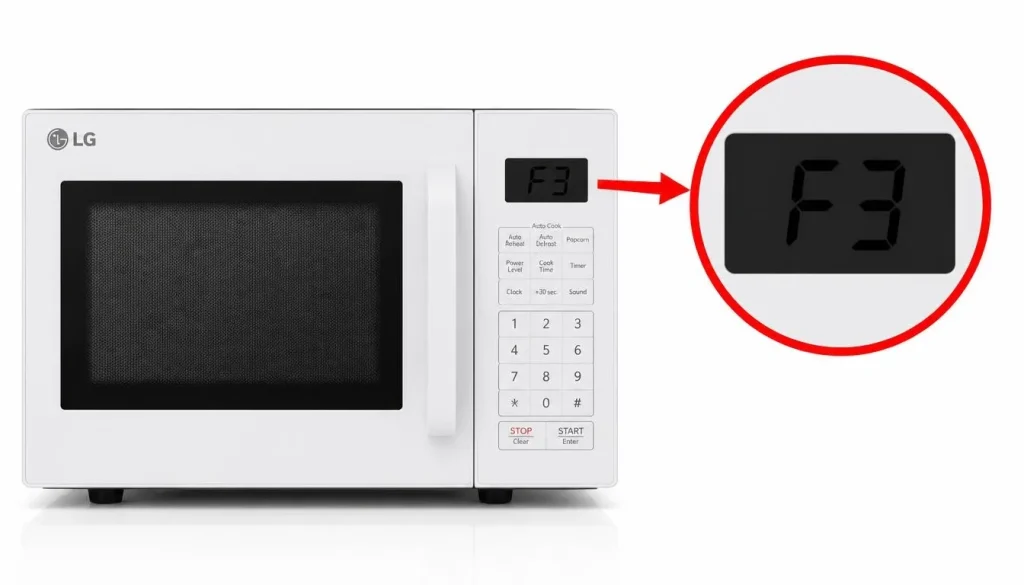
LG Microwave F-3 Error: Stuck Key and Touchpad Fix
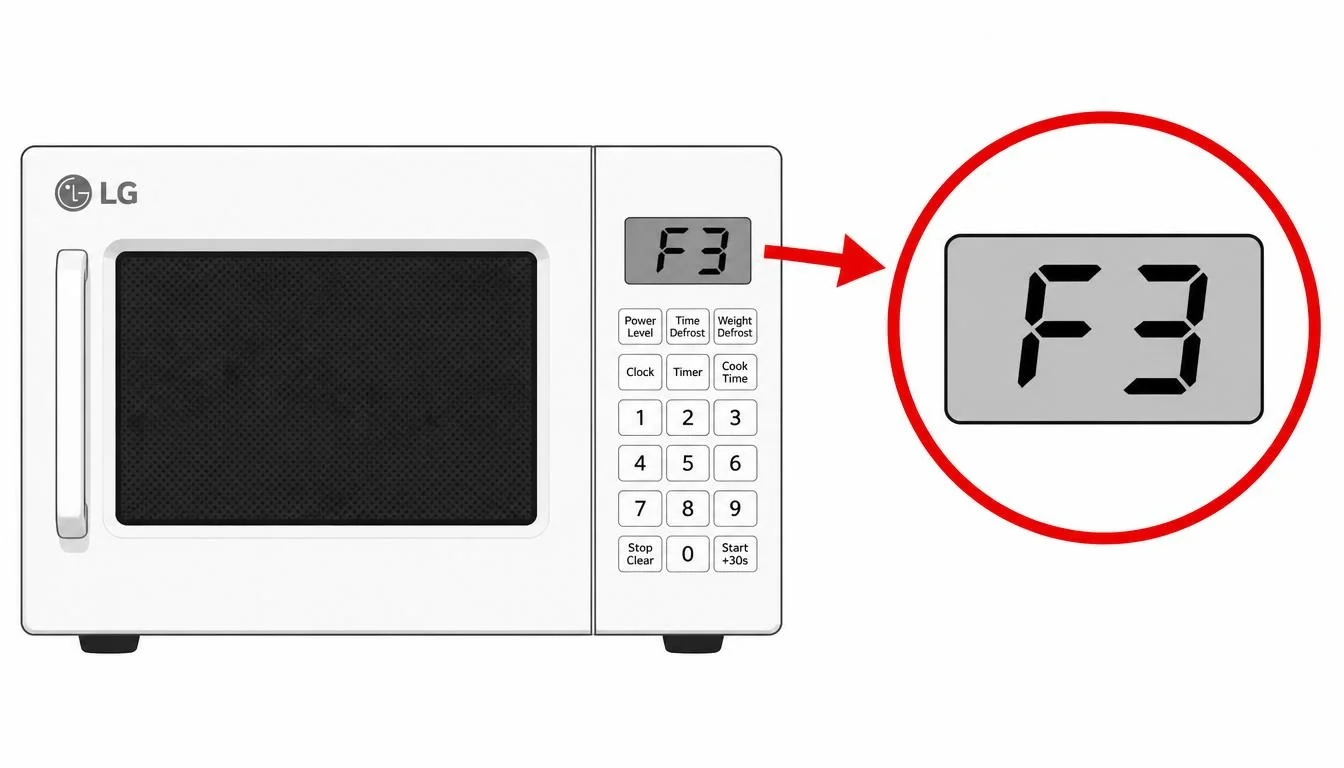
When F-3 appears on an LG microwave display, the appliance is reporting a fault in its touch control panel. LG’s official troubleshooting page states that F-3 errors can occur when there are foreign substances around the touch button panel, and it directs the user to wipe off any foreign substances from the panel and check again. The same definition appears in LG’s regional support libraries: the F-3 error is related to the touch panel and often appears when grease, moisture, or food residue interferes with the keys.
The LG microwave F-3 error is therefore a control-panel fault rather than a magnetron failure, a high-voltage breakdown, or a door-switch problem. The microwave’s control board believes that a key on the touch panel is being pressed continuously, even though no one is touching it. The board interprets the phantom key press as a fault condition and stops operation rather than allowing the microwave to run with an input it cannot trust.
This distinction matters because the first response to the LG microwave F-3 error is not a repair. LG’s documented first step is to clean the touch panel and remove the foreign substances that are causing the phantom key presses. If cleaning resolves the code, no service is required. If the code returns, the panel, the membrane, or the control board becomes the diagnostic target, and LG recommends an inspection by a service technician for those cases.
This article explains what the LG microwave F-3 error means, why foreign substances trigger it, the stuck-key detection logic that produces the code, the causes that repair guidance identifies, the step-by-step cleaning and reset procedure in LG’s documented order, the safety rules that apply to microwave repairs, the circumstances in which the microwave requires professional service, and the practical habits that prevent the code from returning.
?What Does the LG Microwave F-3 Error Mean
The LG microwave F-3 error means that the microwave’s control system has detected an abnormality in the touch panel or keypad input. LG’s official page describes the F-series as errors related to abnormalities in lightwave ovens, displayed as a letter and a number on the screen, and it states that F-3 errors can occur when there are foreign substances around the touch button panel.
LG’s Korean support page provides a more technical explanation of the same condition. It states that the F-3 error is displayed when a specific button on the front control panel (keypad or touch panel) is detected as being continuously pressed for a certain period of time, usually about 60 seconds. This is the mechanism behind the code: the control board is not reading a single momentary key press, as it would during normal operation. It is reading a sustained, continuous key-press signal that lasts longer than any human finger would rest on a button during normal use.
The practical consequence is that the microwave stops accepting input and will not start a cook cycle. The appliance may beep, the display may show F-3, and the keys may appear unresponsive because the board is already processing a phantom key press. The LG microwave F-3 error is the board’s way of reporting that the touch panel is sending a signal it cannot interpret as a normal user command.
Why Foreign Substances Trigger the Code
The most common cause of the LG microwave F-3 error is foreign substances on or around the touch button panel. LG states this directly: the error can occur when there are foreign substances around the touch button panel, and the remedy is to wipe them off and check again. Repair guidance explains the mechanism: grease, moisture, or food residue can bridge the sensitive areas of the touch panel or the membrane behind it, causing the control board to detect a continuous key press.
The touch panel on a modern LG microwave is a capacitive or membrane-based input device. It relies on a clean, dry surface to distinguish between a finger press and no press. When a film of grease or a droplet of moisture sits on the panel, it can create a permanent capacitance change or a permanent short across the membrane contacts. The control board interprets that change as a key that is being held down, and after about 60 seconds of continuous signal, it posts the F-3 code.
This is why the first remedy is cleaning rather than repair. The panel itself may be perfectly functional, and the membrane behind it may be intact. The foreign substance is the fault, and removing it restores the panel’s ability to distinguish between a real press and no press.
The Stuck-Key Detection Logic
The LG microwave F-3 error is built on a specific detection logic that explains why it appears only after a delay. LG’s Korean page states that the code is displayed when a button is detected as being continuously pressed for about 60 seconds. This is not an arbitrary threshold. It is the control board’s way of distinguishing between a legitimate long press—such as holding a button to adjust the clock—and a fault condition where the panel is stuck.
During normal use, a key press lasts a fraction of a second to a few seconds. The board registers the press, performs the associated action, and expects the signal to end when the finger lifts. When the signal does not end, the board waits for a period that is longer than any normal interaction, and then concludes that the panel is stuck. At that point, it stops the cycle and displays F-3.
This logic matters for diagnosis because it explains why the code may appear several seconds after the microwave is powered on, or several seconds after a cook cycle begins. The board is not failing instantly; it is waiting to confirm that the key signal is genuinely continuous and not a transient glitch. A user who sees F-3 appear after a short delay is observing the detection window in action.
Causes of the LG Microwave F-3 Error
LG’s official page identifies foreign substances as the primary cause of the LG microwave F-3 error, and it also lists a broader set of conditions that can produce the code: defective parts, a short circuit, communication failures, and overcurrent. Repair guidance expands on these categories with the specific components that technicians find.
Foreign Substances on the Touch Panel
The first and most common cause is foreign substances on the touch panel. Grease from cooking, moisture from steam, or food residue that splashes onto the panel can bridge the sensitive areas and create a phantom key press. This is the cause that the cleaning step addresses.
A Shorted Touchpad Membrane
The second cause is a shorted touchpad membrane. The membrane behind the touch panel can develop an internal short from wear, moisture intrusion, or manufacturing defects. When the membrane is shorted, the control board receives a continuous key-press signal even though the panel surface is clean, and the F-3 code appears. This cause requires replacement of the membrane or the panel assembly.
A Stuck or Faulty Key Panel
The third cause is a stuck or faulty key panel. The keys themselves can become physically stuck, or the panel’s internal contacts can fail in a closed state. Repair guidance describes the F-3 code as an indication of a stuck key panel, and notes that the control board believes a key is being held down. This cause is mechanical rather than chemical, and it may require replacement of the control panel.
Wiring or Control Board Faults
The fourth cause is a wiring or control board fault. LG’s page lists defective parts, a short circuit, and communication failures among the conditions that can produce the F-series errors. If the wiring between the touch panel and the control board is damaged, or if the board’s input circuit has failed, the board may interpret a normal panel signal as a continuous press. Repair guidance describes the F-3 code as related to an issue with the wiring, the board, or the panel’s connection.
A Fuse Fault on Some Models
A separate repair source describes F-3 as a fuse fault error on some LG microwave models, stating that the fuse is an inexpensive part that can be replaced. This interpretation is model-specific and appears in repair guidance rather than in LG’s official page, but it is a documented meaning of the code for some LG microwave families.
The Step-by-Step Fix: Cleaning and Resetting
LG’s official procedure for the LG microwave F-3 error is short and starts with cleaning. The steps below present the cleaning step as LG documents it, followed by the reset procedure that LG and repair guidance describe.
Step 1: Wipe the Touch Button Panel
The first step is to wipe off any foreign substances from the touch button panel. Use a soft, slightly damp cloth—not a soaking wet cloth—and wipe the entire panel surface, including the areas between the keys and around the edges. Pay particular attention to the areas where grease or moisture tends to accumulate, such as around the number pad, the Start button, and the Stop/Clear button. Dry the panel thoroughly with a clean, dry cloth before proceeding.
The goal of this step is to remove the film of grease or the droplets of moisture that are bridging the panel’s sensitive areas. If the foreign substance is the only cause of the F-3 code, the panel should return to normal operation after it is cleaned and dried.
Step 2: Power Reset the Microwave
If cleaning alone does not clear the code, the next step is a power reset. LG’s page states that symptoms may occur due to a temporary error, and it instructs the user to unplug the electrical cord and plug it back in to check if the same error reappears. Repair guidance extends the wait: unplug the microwave from the wall outlet and wait for 10 to 15 minutes to allow the control board to reset, then plug it back in and see if the error clears.
The purpose of the reset is to allow the control board to discharge and re-initialize. If the F-3 code was caused by a transient glitch rather than a permanent panel or membrane fault, the reset may clear it. The reset is diagnostic as well as corrective: if the code returns immediately after the reset, a persistent condition is present, and the cleaning step may not have addressed the root cause.
Step 3: Check the Door Switch
Repair guidance recommends checking the door switch as part of the F-3 troubleshooting sequence. The door switch tells the control board whether the door is closed, and a faulty switch can produce error conditions that overlap with the panel codes. The user should open and close the door firmly and listen for the latch to engage. If the door feels loose or the latch does not click, the door switch may require service.
Step 4: Test a Short Cook Cycle
After cleaning and resetting, test the microwave with a short cook cycle—one minute on high with a microwave-safe cup of water inside. If the F-3 code does not return and the microwave heats the water, the fault was the foreign substance on the panel, and the appliance can return to normal use. If the code returns during the test cycle, the panel, membrane, or control board requires diagnosis.
What the Technician Tests
If the LG microwave F-3 error persists after cleaning and resetting, the remaining causes are component-level, and LG recommends an inspection by a service technician. The technician’s diagnostic sequence follows the order of likelihood that repair guidance describes.
The technician first inspects the touch panel and the membrane behind it for visible damage, moisture intrusion, or a stuck key. If the panel surface is clean but the membrane is shorted, the membrane or the panel assembly requires replacement. If the keys are physically stuck, the key panel requires service.
If the panel and membrane appear intact, the technician checks the wiring between the panel and the control board for damage or loose connections. LG’s page lists defective parts, a short circuit, and communication failures among the F-series causes, and the wiring is the path that carries the panel signal to the board. A damaged harness or a loose connector can produce the same phantom key-press signal as a shorted membrane.
If the wiring tests good, the control board’s input circuit becomes the remaining suspect. The board may be misreading a normal panel signal as a continuous press, and in that case the board requires replacement. Repair guidance describes the F-3 code as related to the wiring, the board, or the panel’s connection, and the board is the last component in the chain.
Safety Rules for the F-3 Error
The LG microwave F-3 error involves the touch panel and the control board, and the safety rules for microwave repairs are strict. Repair guidance is direct: never open a microwave cabinet, because the high-voltage capacitor holds a dangerous charge long after the appliance is unplugged. The same guidance states that repairs beyond basic cleaning and resetting should not be attempted without professional training, because the magnetron operates at extremely high voltage.
The cleaning step is the only user-level action that LG’s page describes for the F-3 code. Wiping the panel with a soft cloth is safe, provided the cloth is not dripping wet and the microwave is not running. The reset step—unplugging the microwave and plugging it back in—is also safe, provided the user waits the recommended interval and does not open the cabinet while the appliance is disconnected.
What the user should not do is remove the outer casing, attempt to replace the touch panel or the membrane, or test the control board with a multimeter. Those actions expose the user to the high-voltage capacitor and the magnetron circuit, and they are not part of the documented F-3 procedure. If the code persists after cleaning and resetting, the appropriate next step is service, not disassembly.
When the F-3 Error Requires Service
The LG microwave F-3 error requires service when the cleaning and reset steps do not resolve it. LG’s page states that if the symptoms persist after the reset, the user should call for an inspection service for an accurate diagnosis. The same page notes that the other F-series errors can indicate defective parts, a short circuit, communication failures, and overcurrent, and that those conditions require a service technician’s inspection.
Service is the appropriate next step under the following conditions. If the F-3 code returns immediately after the panel has been cleaned and dried, the membrane or the panel assembly may be shorted, and replacement is required. If the code returns after a power reset and the panel surface is clean, the wiring or the control board may be at fault. If the keys feel stuck or unresponsive even after cleaning, the key panel requires service. If the code appears together with other F-series codes, the combination may point to a more complex fault in the control system, and a technician should diagnose the appliance as a whole.
It is also important not to continue using the microwave indefinitely when the F-3 code persists. The control board believes a key is being held down, and the appliance may not respond to any input, including the Stop/Clear button. A microwave that cannot be controlled is not a safe appliance to leave in service, even if the fault is in the panel rather than in the high-voltage circuit.
Preventing the F-3 Error
The LG microwave F-3 error is one of the more preventable microwave codes, because its most common cause is foreign substances on the touch panel. A few practical habits reduce the chance of the code returning.
Wiping the touch panel after each cooking session removes the grease and moisture that accumulate during normal use. Using a soft, slightly damp cloth and drying the panel thoroughly prevents the film that bridges the panel’s sensitive areas. Covering food during cooking reduces the steam and grease that reach the panel, and it also reduces the cleaning burden on the microwave’s interior. For over-the-range models, running the vent fan while the cooktop is on reduces the steam and grease-laden air that reach the microwave’s underside, which is where the control panel is often mounted.
Quick Reference Table
| Situation or Check | What It Means | What To Do |
|---|---|---|
| F-3 appears on the display | Touch panel is registering a stuck key | Wipe the touch button panel and dry it thoroughly |
| Code clears after cleaning | Foreign substance was the cause | Return the microwave to normal use |
| Code returns after cleaning | Persistent panel, membrane, or board condition | Power reset and test again |
| Code returns after reset | Component-level fault | Call for service |
| Keys feel stuck or unresponsive | Key panel or membrane may be shorted | Service inspection required |
| Code appears with other F-codes | Multiple control-system faults may be present | Service diagnosis required |
| Code appears after a power surge | Possible control board glitch | Reset and monitor |
| Microwave is over-the-range | Steam and grease exposure is higher | Run the vent fan during cooktop use |
Frequently Asked Questions
?What does the LG microwave F-3 error mean
F-3 means the touch panel is registering a continuous key press, usually because foreign substances such as grease or moisture are bridging the panel’s sensitive areas. LG states that F-3 errors can occur when there are foreign substances around the touch button panel.
?Is F-3 a serious fault
F-3 is a control-panel fault, not a high-voltage fault. LG’s first recommended step is cleaning the panel, and many cases resolve without service. If the code persists after cleaning and resetting, a technician should inspect the appliance.
?Can I fix the LG microwave F-3 error myself
The user-level steps are to wipe the touch panel and to power reset the microwave by unplugging it and plugging it back in. LG does not describe a user-level repair for the panel, membrane, or control board, and those components require service.
?How do I clean the touch panel
Use a soft, slightly damp cloth to wipe the entire panel surface, including the areas between the keys and around the edges. Dry the panel thoroughly with a clean, dry cloth before testing the microwave. Do not use a soaking wet cloth.
?How long should I unplug the microwave for the reset
LG’s page instructs the user to unplug the electrical cord and plug it back in. Repair guidance recommends waiting 10 to 15 minutes to allow the control board to reset.
?Why does the F-3 code appear after a delay
LG’s Korean page states that the code is displayed when a button is detected as being continuously pressed for about 60 seconds. The board waits for that period to confirm that the key signal is genuinely continuous rather than a normal press.
?What causes the F-3 error besides grease
The causes include a shorted touchpad membrane, a stuck or faulty key panel, wiring or control board faults, and on some models a fuse fault.
?When should I call a technician for the F-3 error
Call for service if the F-3 code persists after cleaning the panel and performing a power reset, if the keys feel stuck or unresponsive, or if the code appears together with other F-series codes.
?Can I open the microwave to check the panel myself
No. Repair guidance is explicit that owners should never open a microwave cabinet, because the high-voltage capacitor holds a dangerous charge even when the appliance is unplugged. The panel and control board are internal components.
?Where can I confirm the F-3 meaning for my model
The model’s owner’s manual is the authoritative source. LG’s page notes that its guide was created for all models and that the images or content may differ from the specific product.
