


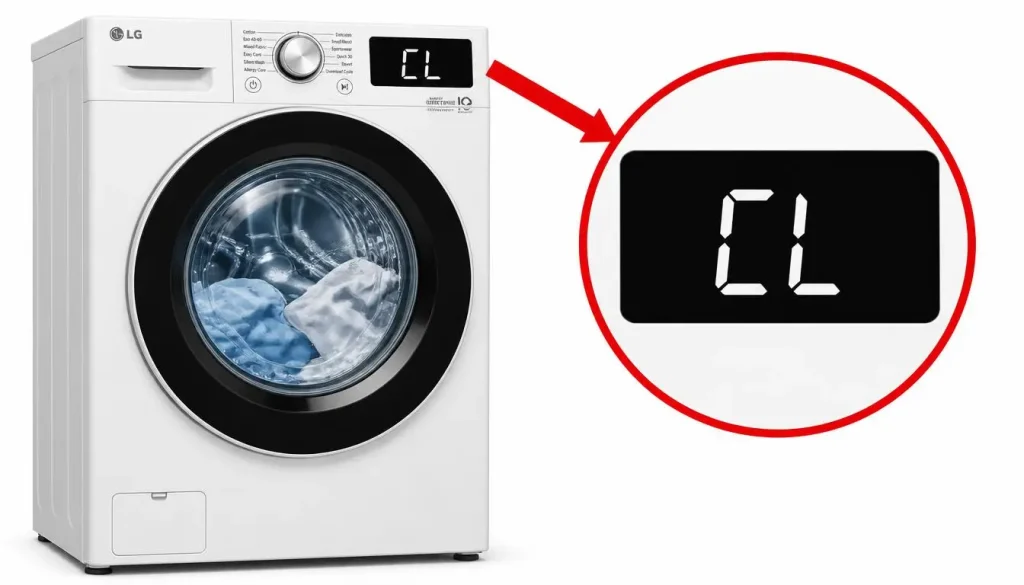
LG Washer CL Code: Child Lock Meaning and How to Disable It
When the letters “CL” appear on the display of an LG washer, many users assume the machine has developed a fault. The opposite is true. The LG washer CL code is not an error at all—it is a deliberate safety feature called Child Lock. LG’s official support documentation confirms that CL stands for CHILD LOCK, a function designed to lock the control panel during a cycle and prevent unintentional disruptions or potential accidents caused by a child or another user manipulating the controls.
This distinction matters because the response to the CL code is completely different from the response to a genuine error code. There is nothing broken, and no repair is required. The washer is doing exactly what it was designed to do. This article explains what the LG washer CL code means, what happens while it is active, the exact button combinations to disable it on each LG model family, and the one circumstance in which the code may indicate a real problem.
?What Does the LG Washer CL Code Mean
The LG washer CL code indicates that Child Lock is enabled. LG’s documentation defines Child Lock as a safety feature designed to lock the control panel during a cycle. When Child Lock is set, all buttons except for the power button do not operate. The washer will continue to run the cycle it was given, but no one can change the cycle, adjust the temperature, alter the spin speed, or start a new program from the control panel.
The feature exists to prevent accidental changes during operation. A child pressing buttons, or an adult brushing against the panel while loading laundry, cannot interrupt a running cycle or alter its settings while Child Lock is active. This protects both the laundry and the machine from unintended interruptions.
The LG washer CL code is also persistent by design. Child Lock is not automatically disabled after the completion of a cycle. If you wish to change the cycle or other settings, you must first disable Child Lock before proceeding. This is why users sometimes encounter CL at the start of a new wash day: the lock remained active from the previous cycle, and the control panel is waiting for the user to release it.
If the unit is powered on while Child Lock is enabled, the Child Lock icon will illuminate on the display. This provides a visual confirmation that the lock is active, even before the user attempts to press a button and finds the panel unresponsive.
What Happens While Child Lock Is Active?
While the LG washer CL code is displayed, the washer’s behavior is predictable and limited. LG’s documentation states that all buttons except the power button do not operate. The power button remains functional, allowing the user to turn the machine off and on. Every other control—cycle selection, temperature, spin speed, rinse options, start/pause—is locked out.
This means that pressing buttons while CL is displayed will produce no response. The display may remain on CL, or the button press may simply be ignored. Users who are unfamiliar with the feature often interpret this unresponsiveness as a panel failure. It is not. The panel is functioning correctly; it has been instructed to ignore input until the lock is released.
LG’s documentation also notes that the method for turning off the Child Lock feature varies depending on the model. This is the most important practical point for anyone trying to clear the LG washer CL code. There is no single universal button sequence. The correct combination depends on which LG washer or washer-dryer combo you own.
How to Disable the LG Washer CL Code: Step-by-Step by Model
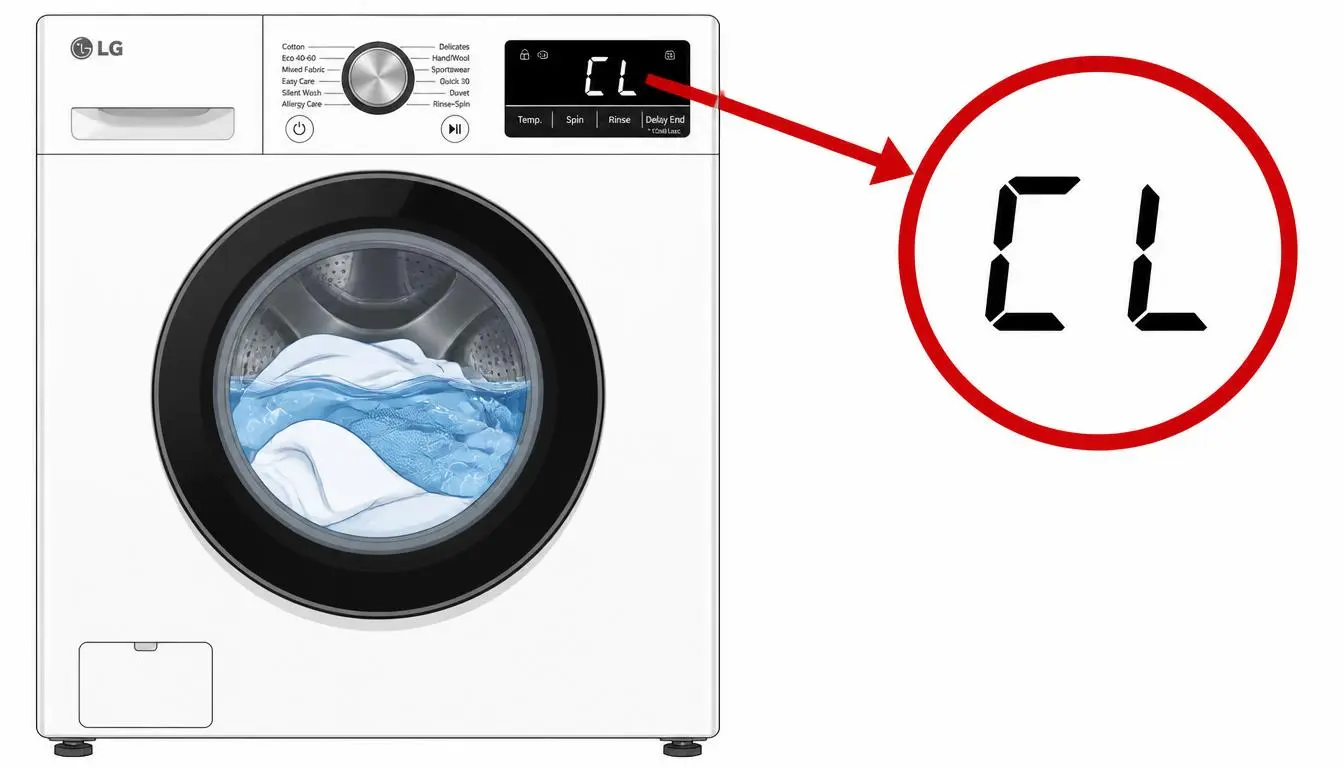
LG’s support documentation provides general instructions and then lists the specific button combinations for different model families. The general principle is the same across models: press and hold the buttons marked with a lock icon or labeled [*Child Lock] for at least 3 seconds. The difference lies in which buttons carry that marking.
Models with a Lock Symbol
On models that have a lock symbol printed on the panel, the documented combination is to hold Temp + Rinse for 3 seconds. These two buttons are typically located in the center of the control panel. Press both simultaneously and keep them held for the full three seconds. The CL indicator should then disappear, and the panel should become responsive again.
Models with a Dedicated Child Lock Button
On models that have a button explicitly marked [*Child Lock], the documented combination is to hold the Spin button for 3 seconds. The Spin button serves as the Child Lock control on these models. Press and hold it for three seconds to release the lock.
Models with a Steam Function
On models equipped with a Steam function, the documented combination is to hold the Steam button for 3 seconds. The Steam button doubles as the Child Lock control on these models.
WashTower Models
On LG WashTower units, the procedure differs slightly because the washer and dryer each have their own control panel. LG’s documentation states that to unlock CL on the washer, you should hold the Spin button on the washer control panel for 3 seconds. The lock must be released separately on the washer side; the dryer panel is not involved in clearing the washer’s CL code.
A Note on Model Variation
LG explicitly states that this guide was created for all models and that the images or content may differ from your specific product. For the most precise instructions, LG directs users to refer to the user manual. If the documented combinations do not match the buttons on your panel, the manual for your exact model is the authoritative source.
?Troubleshooting: What If the CL Code Won’t Clear
The LG washer CL code should clear when the correct button combination is held for three seconds. If it does not, LG’s documentation identifies one specific circumstance that changes the diagnosis: if the Child Lock buttons are unresponsive, this could signal a malfunction, and in such cases LG advises contacting customer support for assistance.
This is the only scenario in which the CL code may point to a genuine problem. The distinction is straightforward. If the buttons respond to a three-second hold and the CL indicator disappears, the feature is working as designed. If the buttons do not respond at all—if holding them for three seconds, or longer, produces no change—then the control panel or the Child Lock circuit may have developed a fault. At that point, the issue is no longer a normal safety feature but a service matter.
Before concluding that the panel has malfunctioned, it is worth verifying three things. First, confirm that you are holding the correct buttons for your specific model, using the combinations listed above. Second, confirm that you are holding them for the full three seconds; a brief press is not sufficient. Third, confirm that the washer is powered on, since the Child Lock icon only illuminates and the lock can only be released while the unit has power. If all three conditions are met and the panel still does not respond, LG’s guidance to contact customer support applies.
Quick Reference Table
| Situation | What It Means | What To Do |
|---|---|---|
| CL appears on the display | Child Lock is enabled, not an error | Hold the model-specific buttons for 3 seconds |
| All buttons except Power are unresponsive | Normal Child Lock behavior | Release the lock using the correct combination |
| Lock symbol on the panel | Child Lock is active | Hold Temp + Rinse for 3 seconds |
| Dedicated [Child Lock] button present | Child Lock is active | Hold Spin for 3 seconds |
| Steam function present | Child Lock is active | Hold Steam for 3 seconds |
| WashTower washer side shows CL | Washer Child Lock is active | Hold Spin on the washer panel for 3 seconds |
| Buttons do not respond to a 3-second hold | Possible panel malfunction | Contact LG customer support |
| CL returns after a new cycle starts | Child Lock was not disabled | Disable Child Lock before changing settings |
Frequently Asked Questions
?Is the LG washer CL code an error
No. CL stands for CHILD LOCK. It is a safety feature designed to lock the control panel during a cycle and prevent unintentional disruptions or accidents caused by a child or another user manipulating the controls.
?What does the LG washer CL code do
When Child Lock is set, all buttons except for the power button do not operate. The washer continues its cycle, but no one can change the cycle or settings from the panel.
?Why does the CL code stay on after the cycle ends
Child Lock is not automatically disabled after the completion of a cycle. If you wish to change the cycle or other settings, you must first disable Child Lock before proceeding.
?How do I turn off Child Lock on an LG washer
Press and hold the buttons marked with a lock icon or labeled [*Child Lock] for at least 3 seconds. The specific buttons depend on the model: Temp + Rinse on models with a lock symbol, Spin on models with a dedicated Child Lock button, Steam on models with a Steam function, and Spin on the washer panel of WashTower models.
?How long do I need to hold the buttons
At least 3 seconds. A brief press will not release the lock.
?Why do the buttons not respond when I press them
This is normal while Child Lock is active. LG’s documentation states that all buttons except the power button do not operate. If the correct buttons do not respond to a 3-second hold, this could signal a malfunction, and LG advises contacting customer support.
?Does the CL code mean my washer is broken
No. The CL code indicates that a safety feature is active. It only becomes a potential malfunction indicator if the Child Lock buttons are unresponsive to the documented release procedure.
?Where can I find the exact Child Lock combination for my model
LG states that the exact method may vary depending on the product model and directs users to the user manual for more detailed instructions.
